Gaming Laptop vs Gaming PC : Which Is Better?
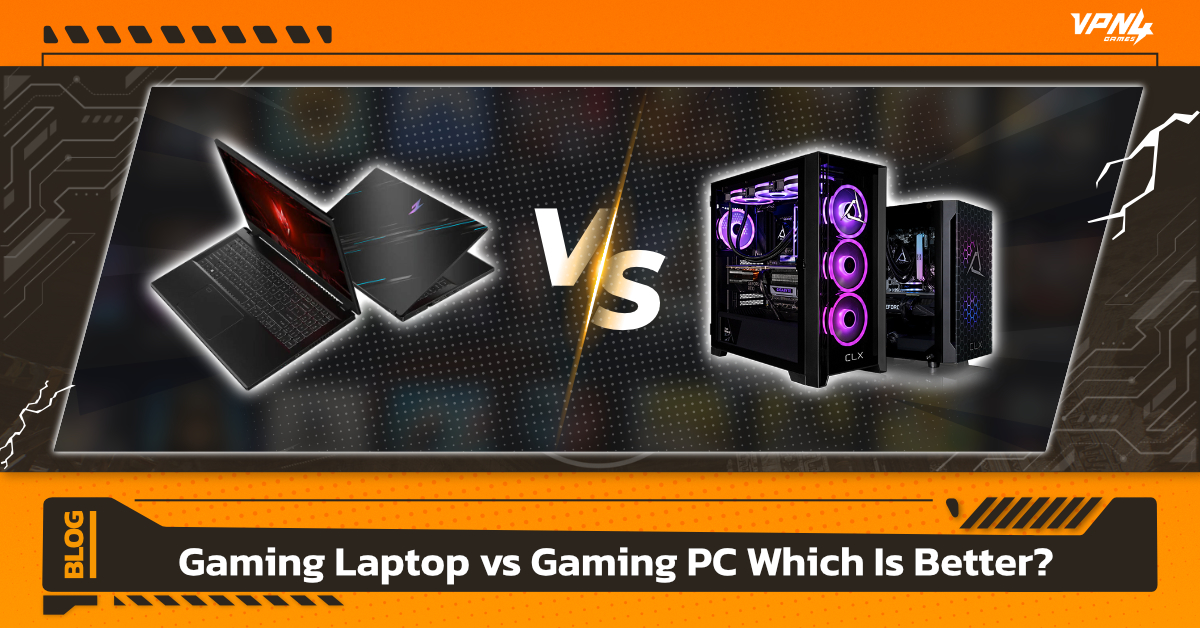
For many gamers planning to buy a gaming machine, a common question arises: Should you choose a Gaming Laptop or a Gaming PC? Both options can run modern games, but as game graphics become more demanding every year, choosing the right system becomes increasingly important. Gamers often compare performance, price, portability, upgradeability, and real-world usage before making a decision.
💻 What Is a Gaming Laptop?
1. Dedicated GPU: The Heart of a Gaming Laptop
Unlike standard laptops that usually rely on integrated graphics, a gaming laptop always comes with a dedicated GPU such as NVIDIA GeForce RTX or AMD Radeon.
- High Graphics Processing Power: A dedicated GPU is designed specifically to handle 3D graphics, delivering realistic visuals, natural lighting, and smoother gameplay.
- VRAM (Video Memory): Gaming laptops include dedicated video memory, so the system doesn’t rely heavily on the main RAM, helping maintain stable performance without slowdowns.
2. Portability & All-in-One Design
This is the biggest advantage of gaming laptops:
- Convenience: You can easily bring powerful gaming performance to a friend’s house, a café, or a dorm.
- Built-in Features: Most gaming laptops come with high refresh rate displays (144Hz or higher) for smoother motion and reduced screen tearing, along with RGB-backlit keyboards designed for gaming.
3. Advanced Cooling Systems
Because gaming laptop components are powerful, they also generate more heat. As a result, these laptops are designed with specialized cooling systems:
Dual Fans & Heat Pipes: Many models feature multiple fans and large ventilation systems around the chassis to maintain stable performance during long gaming sessions.
🖥️ What Is a Gaming PC?
1. Desktop Gaming PC: The Core of Gaming Powe
When people talk about a Gaming PC, they usually mean a desktop setup that includes the computer case, monitor, and other peripherals.
- Large Case: Provides better airflow and helps reduce heat buildup.
- Power Supply (PSU): Delivers high power output to support demanding components like the GPU.
2. High Performance
One of the main reasons Gaming PCs outperform consoles and standard laptops is their powerful internal components:
GPU (Graphics Processing Unit): High-performance graphics cards such as NVIDIA RTX or AMD Radeon enable realistic graphics, Ray Tracing, and smooth high FPS gameplay.
- CPU (Central Processing Unit): Multi-core and multi-thread processors handle game physics, AI, and background processes efficiently.
- RAM:Typically starts at 16GB or more, allowing smooth multitasking while running apps like **Discord or OBS** in the background.
3. Upgradability & Flexibility
This is the biggest advantage of PC gaming:
- Customization:You can choose every component—from stylish RGB cases to advanced liquid cooling systems.
- Future-Proof: After 2–3 years, if newer games become more demanding, you don’t need to replace the entire system. Simply **upgrade the GPU or other components** to boost performance at a lower cost than buying a new PC.
What Is the Difference Between a Gaming Laptop and a Gaming PC?
1. Performance & Cooling
Gaming PC: A desktop gaming PC has much more space for cooling. It can support large fans or even liquid cooling systems, allowing the system to run at full speed without overheating or experiencing thermal throttling.
Gaming Laptop: Due to limited internal space, gaming laptops usually have smaller cooling fans that can become louder during heavy use. Heat buildup is also more common, which may affect long-term hardware lifespan—especially if used in a non-air-conditioned environment.
2. Value for Money
Gaming PC: At the same price, a gaming PC usually delivers about 20–30% more performance because its components don’t need to be miniaturized like those in laptops.
Gaming Laptop: You typically pay more for the all-in-one convenience, since the display, keyboard, and hardware are all built into a single device.
3. Upgradability
Gaming PC: One of the biggest advantages is full upgrade flexibility. You can replace almost any component—upgrade the GPU, add more RAM, or install additional storage whenever needed.
Gaming Laptop: Most gaming laptops allow upgrades only for RAM and SSD. Components like the GPU or CPU usually cannot be replaced, so when the system becomes outdated for newer games, you may need to buy a new laptop.
4. Convenience & Portability
Gaming Laptop: Clearly the winner in portability. It’s ideal for people who move around frequently—such as students in dorms, visiting friends, or gaming in cafés.
Gaming PC: Not very portable. It requires a dedicated desk setup, including monitor, peripherals, and multiple cables.
Gaming Laptop vs Gaming PC Comparison
No matter whether you play on a Gaming Laptop or a Gaming PC, internet issues such as high ping or lag can cause gameplay to stutter and feel less smooth. Using a Gaming VPN can help by optimizing the connection route to game servers, making the connection more stable.
VPN4Games offers over 100 servers in 20 countries.VPN4Games It helps reduce ping and lag, providing a smoother online gaming experience. It can also allow players to access games that may not yet be available in certain regions. 🎮
Download, Install, and Use a VPN for Gaming
Additional recommended articles
Top 5 Online Gaming Problems and How VPN4Games Fixes Them
What Is a VPN? Why It Matters for Gamers
Test speed and ping when playing games on foreign servers