Fix high ping when playing cross-region games on NoxPlayer
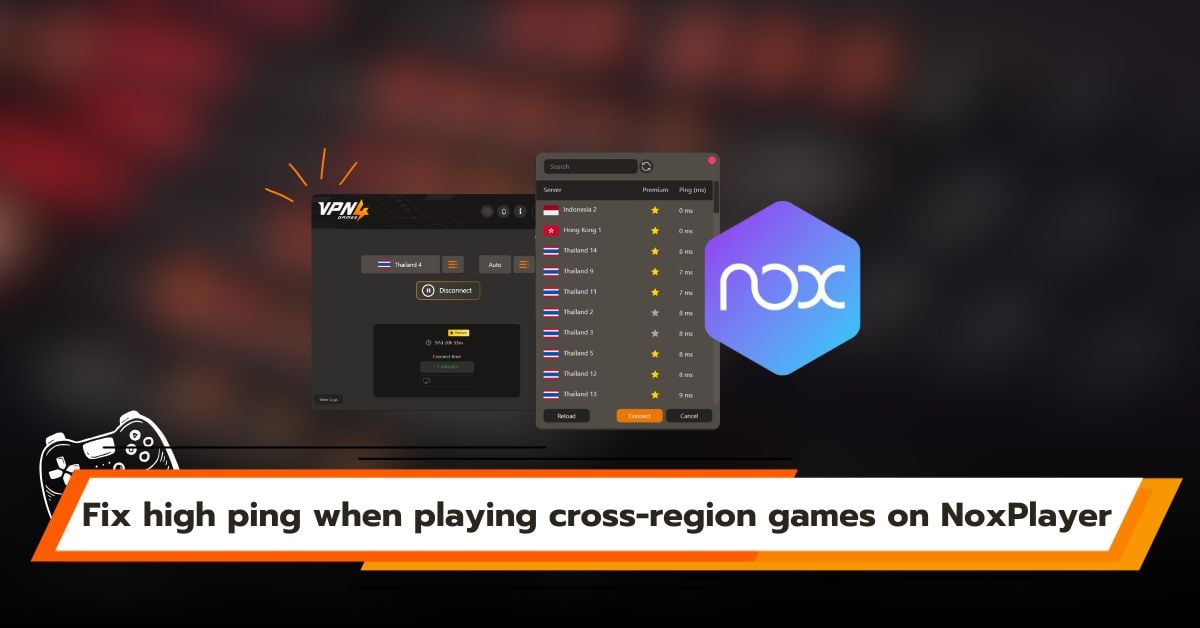
Playing mobile games on PC through an emulator like NoxPlayer is popular among hardcore gamers who want smooth performance and precise controls. However, a common frustration arises when accessing overseas servers such as Japan, Korea, or the US, leading to high ping, lag, or even regional blocks. This article explains how to fix cross-region gaming issues on NoxPlayer using VPN4Games.
What is NoxPlayer?
NoxPlayer is a popular Android emulator developed to allow users to run mobile applications and games on Windows and macOS. It simulates a high-performance smartphone on a computer and supports multiple instances running at the same time, making it especially popular among players of RPG, MMO, and games that require multi-account farming.
How is NoxPlayer different from other Android emulators?
In a market filled with many emulator options, what sets NoxPlayer apart from others includes the following.
Offers more advanced and detailed system customization.
NoxPlayer allows users to freely adjust CPU, RAM, screen resolution, and Android versions more flexibly than many other emulators, making it easy to optimize performance for different types of games, including MMO, RPG, and games that require running multiple accounts simultaneously.
Ideal for multi-account gameplay with multi-instance support.
NoxPlayer is designed to run multiple instances stably, allowing several screens to operate at the same time without consuming unnecessary system resources. This makes it ideal for farming, multi-account users, and players who need to manage multiple characters simultaneously.
Control and Key Mapping
NoxPlayer’s key mapping system is highly flexible, allowing detailed customization of keyboard and mouse controls. This results in smoother gameplay and a more PC-like gaming experience compared to emulators that are designed for general use.
Common issues faced by players using NoxPlayer
Although NoxPlayer has long been a popular emulator among gamers, most issues encountered are not always caused by the software itself. They are usually related to network limitations and online game restrictions, especially when playing cross-region or overseas games.
Unable to access the game or blocked by IP
Today, major game publishers, especially in countries like Japan and South Korea, enforce policies that restrict access from outside their service regions or limit availability to specific countries. With geo-blocking, the system checks the IP address, and if it detects a connection from an unsupported region such as Thailand, it may display a message like “App not available in your country” or immediately block the connection, preventing access to the game.
This issue can be resolved by using VPN4Games together with NoxPlayer to connect through a VPN, allowing access to games that are otherwise blocked.
How to use VPN4Games with NoxPlayer
1.Sign up for VPN4Games
- You can sign up for VPN4Games at: https://www.vpn4games.com/register
2.Download and install VPN4Games
- You can download and install it at: https://www.vpn4games.com/setup
3.Verify your email to receive a free trial period
4.Connect to the VPN server that matches the game’s server location
5.Then open NoxPlayer and start playing the game
*Make sure to connect to VPN4Games before opening NoxPlayer
Playing cross-region games on NoxPlayer becomes simple when used together with VPN4Games, which helps stabilize your connection and lets you access overseas servers from any region. You can start playing immediately without waiting for local releases, supported by over 100 servers across more than 20 countries worldwide. VPN4Games helps reduce lag and lower ping, delivering smooth and uninterrupted gameplay even when connecting across regions.
Additional recommended articles
Fix high ping & blocks on BlueStacks for cross-region play