VPN4Games for Gaming and Accessing Blocked Websites
Playing on overseas Game Servers can sometimes result in high Ping, while some games may be unavailable because of Region restrictions or because the Network you are using blocks certain games or websites. These are some of the main reasons gamers look for a VPN for gaming to help manage their connection routes. VPN4Games is a VPN service focused on Gaming. Players can choose Servers in different countries depending on the game or region they want to connect to, including Thailand, Singapore, Japan, South Korea, Hong Kong, the United States, and other locations. It supports Windows, macOS, iOS, and Android. In addition to using it as a VPN for overseas gaming, a VPN may also help access websites or online services that are restricted by IP in certain situations.
How Can VPN4Games Help With Gaming?
VPN4Games focuses on giving players more control over their Server location and Network Route when connecting to overseas Game Servers, which can be useful in several online gaming situations.
Playing Games on Overseas and Regional Servers
Some online games separate their Servers by region, such as Asia, Japan, Korea, North America, or Europe, while others may only be available in selected countries. Using a VPN for overseas gaming can change your IP address and route your connection through a selected country. For example, if you want to connect to a service in Japan, you can try connecting to a VPN Server in Japan before opening the game. VPN4Games provides Servers in multiple regions, including Japan, South Korea, Singapore, Hong Kong, Taiwan, Thailand, the United States, and the United Kingdom, allowing players to choose a location that better matches the game they want to play. However, it is important to understand the difference between IP Region and Account or Store Region. A VPN does not automatically change the country linked to Steam, the App Store, Google Play, or your Game Account.
How Does VPN4Games Help Access Blocked Websites?
In addition to Gaming, a VPN can also be used with websites or online services that are restricted by IP address or Network in some situations.
- Websites that restrict users from certain countries
- Networks in dormitories, schools, or workplaces that block certain types of websites
- Online services that are only available in specific Regions
- Users who are overseas and need to connect to services from another country
When you connect to a VPN, your Traffic is routed through the VPN Server you select, so the destination website sees the IP address of that VPN Server instead of your original Network IP. VPN4Games states that its service can be used to access games and websites that are restricted by region.
Note: This does not mean a VPN can unblock every service. Some websites may also check Account Region, GPS, Cookies, or use VPN detection systems.
Can You Use a VPN for Mobile Gaming?
Yes. Many mobile games divide Servers by country or are only available in specific Regions, which makes a mobile gaming VPN a common use case. VPN4Games supports both iOS and Android, so users can select a Server and connect before launching the game. For example, if a game has a Server in Japan, players may try connecting to a VPN Server in Japan before opening the game to change their IP address or Network Route. However, a VPN does not automatically change your App Store or Google Play Region. If the game is not available in the Thai Store, you may still need to change the Store Region separately according to the platform’s requirements.
Can You Use a VPN for PC Gaming?
Yes. A VPN can also be used for PC games, including MMORPGs, FPS games, Survival games, and Online Multiplayer titles that connect to overseas Servers.
- Playing on overseas Game Servers
- Your ISP has an inefficient route to the game
- The game or Server restricts IP addresses by region
- You are using a Network that blocks access to the game
- You want to test another Route when Ping or Connection stability is poor
VPN4Games supports Windows and macOS in addition to Mobile, allowing users to access supported devices under the conditions of their selected Package.
How to Start Using VPN4Games
- Register for VPN4Games: https://www.vpn4games.com/register
- Download VPN4Games: https://www.vpn4games.com/setup
Available Payment Methods
- Credit or debit cards that support online payments
- PayPal
- QR Code
- TrueMoney Wallet
Choose a VPN4Games Package and complete payment :https://www.vpn4games.com/payment
How to Use VPN4Games for Gaming and Accessing Blocked Websites
1. Download and Install VPN4Games
Choose the version that matches your device, such as Windows, macOS, Android, or iOS, then sign in with your VPN4Games Account.
VPN4Games Installation and Usage Guides
- Installation and Usage Guide VPN4Games for Windows
- Installation and Usage Guide VPN4Games for Android
- Installation and Usage Guide VPN4Games for iOS
- Installation and Usage Guide VPN4Games for macOS
2. Choose the Server Country You Need
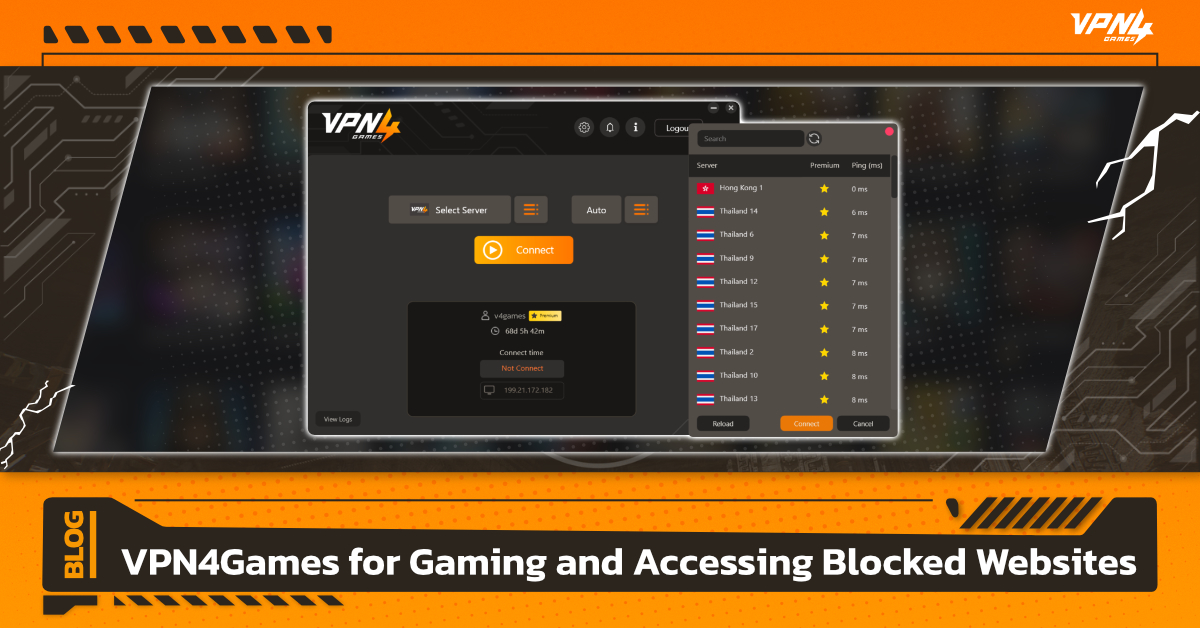
VPN4Games allows users to connect to VPN Servers in more than 20 countries, helping players access games that may be IP-restricted domestically or internationally.
- Available locations include Thailand, Singapore, Japan, South Korea, Hong Kong, Taiwan, as well as regions in Europe, the United States, Russia, the United Kingdom, China, and more.
- Choose a country based on the Game Server or service you want to connect to. For example, if you are playing on a Japan Game Server, you can start by testing a VPN Server in Japan.
All VPN Server locations : https://www.vpn4games.com/location
3. Connect to the VPN
Press Connect and wait until the connection is established. You can then check your IP address or Server status before opening the game.
4. Open the Game or Website
Once the VPN connection is active, open the game or website and use it as normal.
5. Try Another Server if Ping Is Still Too High
If the first Server gives you high Ping, you do not need to keep using the same Server. Try another Node or Location to see which Route works better with your Internet connection.
How to Choose the Right VPN Server for Gaming
A simple starting point is to choose a VPN Server close to the Game Server, for example:
- Game Server Japan → VPN Japan
- Game Server Korea → VPN Korea
- Game Server Singapore → VPN Singapore
However, the closest VPN Server does not always provide the lowest Ping because each ISP and Network Route can behave differently. For this reason, it is better to test several Servers and compare Ping, Jitter, and overall connection stability during actual gameplay.
Who Is VPN4Games Suitable For?
- Players who connect to overseas Game Servers
- Players who encounter IP-based Region restrictions
- Users experiencing Routing issues when connecting to Game Servers
- Users who need a mobile gaming VPN or gaming VPN for PC
- Travelers who want to continue playing on their usual Server while abroad
- Users who need to access websites restricted by Network or Region in certain situations
For anyone looking for a VPN for gaming to connect to overseas Game Servers, change their IP address, or test another Network Route when the current connection is not suitable, VPN4Games is another option designed with gamers in mind and provides multiple Server locations to choose from.In addition to using a VPN for gaming, it can also be used with websites or services that restrict access by IP in certain cases, with support for both Mobile and PC. However, a VPN does not guarantee lower Ping on every Connection or access to every game and website. Choosing the right Server, testing Ping in real gameplay, and checking the requirements of each game or service will help you find a connection setup that better suits your needs. For users who want to try a VPN for free, VPN4Games also provides a Get Reward feature inside the app. By watching an advertisement, users can receive free VPN trial time and test the service before deciding whether to continue using it.
Additional recommended articles
Private VPN Server for You Only Faster and Better